If your internet isn't working as expected, it can be difficult to know where the problem is or who to contact. Understanding how your fibre connection works can help you work out what might be happening and where to start.
How does my fibre connection work?
Think of your internet connection as a journey:
The internet → your Internet Service Provider → Enable's fibre network → your home
Each part of this journey has a different role. This means a problem with your internet doesn't necessarily mean there is a problem with the fibre network.
What does Enable do?
Enable owns and operates the local fibre network.
We look after the fibre cables and equipment that connect your home to your Internet Service Provider (ISP). This includes maintaining the network and investigating faults that affect the fibre connection.
What does my Internet Service Provider do?
Your ISP, also known as a Retail Service Provider or RSP, is the company you choose and pay for your broadband service.
Your ISP manages your broadband plan and billing and provides your connection to the internet. They also provide your modem or router.
Your ISP handles things like your modem configuration, connection settings, help with your username or password and IP address. They’re also your first point of contact for customer support.
Why might my internet not be working properly?
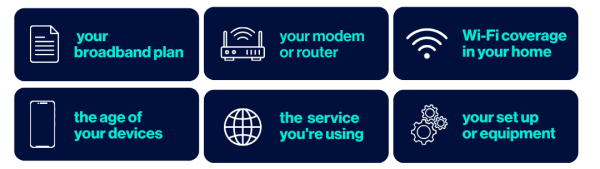
Issues can occur at different points in the journey between the internet and your home. While the fibre network is one part of that journey, your internet experience can also be affected by things such as:
Who should I contact if I'm experiencing issues with my internet?
If you're experiencing issues, your ISP should still be your first point of contact. They can check your broadband service and help identify where the problem is.
If they determine that there may be an issue with the fibre network, they can work with Enable to investigate it.